IafViewer overview
Introduction to IafViewer
The IafViewer React component allows you to explore and manipulate 2D and 3D models using a powerful set of viewing tools and visual assists. For example, you can use the IaFViewer to view a BIM model in 3D space and interact with that model using a variety of tools.
Different IafViewer viewing modes are available which support a wide range of industry standards for 2D and 3D models of buildings and facilities.
Note: The Model Navigator page in the Reference app, is built using the IafViewer component. Refer to the section on the Reference app for more information.
Different modes of IafViewer
The IafViewer offers a range of enhanced viewing modes which support a wide range of possibilities for viewing different industry standard models.
Note: You can now run multiple IafViewer instances. This means you can display different IafViewer windows, side-by-side and compare various models.
Figure: Range of different graphics models supported by IafViewer
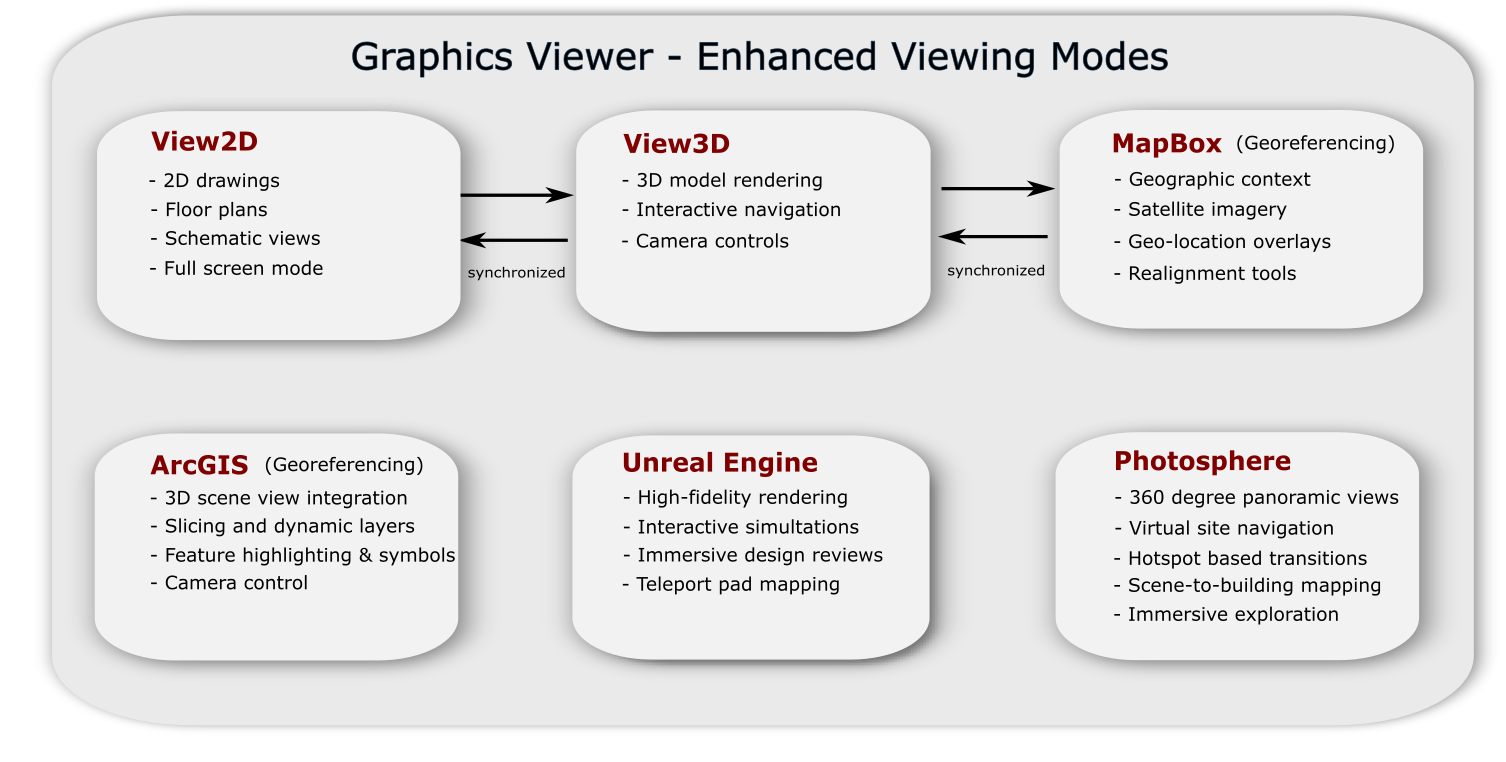
Currently, the IafViewer supports the following viewing modes:
| IafViewer mode | Supported applications |
|---|---|
| View2D | 2D drawings, floor plans, schematic views, full-screen mode |
| View3D | 3D model rendering, interactive navigation, camera controls |
| MapBox - Georeferencing | Geographic context, satellite imagery, geo-location overlay, realignment tools |
| Note: View2D, View3D, and MapBox modes are all synchonized together | |
| ArcGIS - Georeferencing | 3D SceneView integration, slicing and dynamic layers, feature highlighting and symbols, camera control |
| Unreal Engine | High-fidelity rendering, pixel streaming, interactive simulations, immersive design reviews, teleport pad mapping |
| Photosphere | 360 degree panoramic views, virtual site navigation, hotspot-based transitions, scene-to-building mapping, immersive exploration, panoramic imagery |