Graphics file
Store your model's 3D geometry data in the graphics.scz file. The structure of your graphics.scz file may differ for your specific CAD application, as a result, this guide does not define a strict data structure but gives guidance on how to generate it with reference to how it applies to the Revit application.
HOOPs node tree structure
Store model elements nodes under model file nodes.
Note: An exceptions to this rule is if an element is grouped by another element or if an element is a member or component of another element.
Use the following HOOPs model tree structure:
- Models
- Model
- Model file node
- Model element 1 node
- Model element 2 node
- ...
- Model file node
- Model
Figure: HOOPs model tree structure
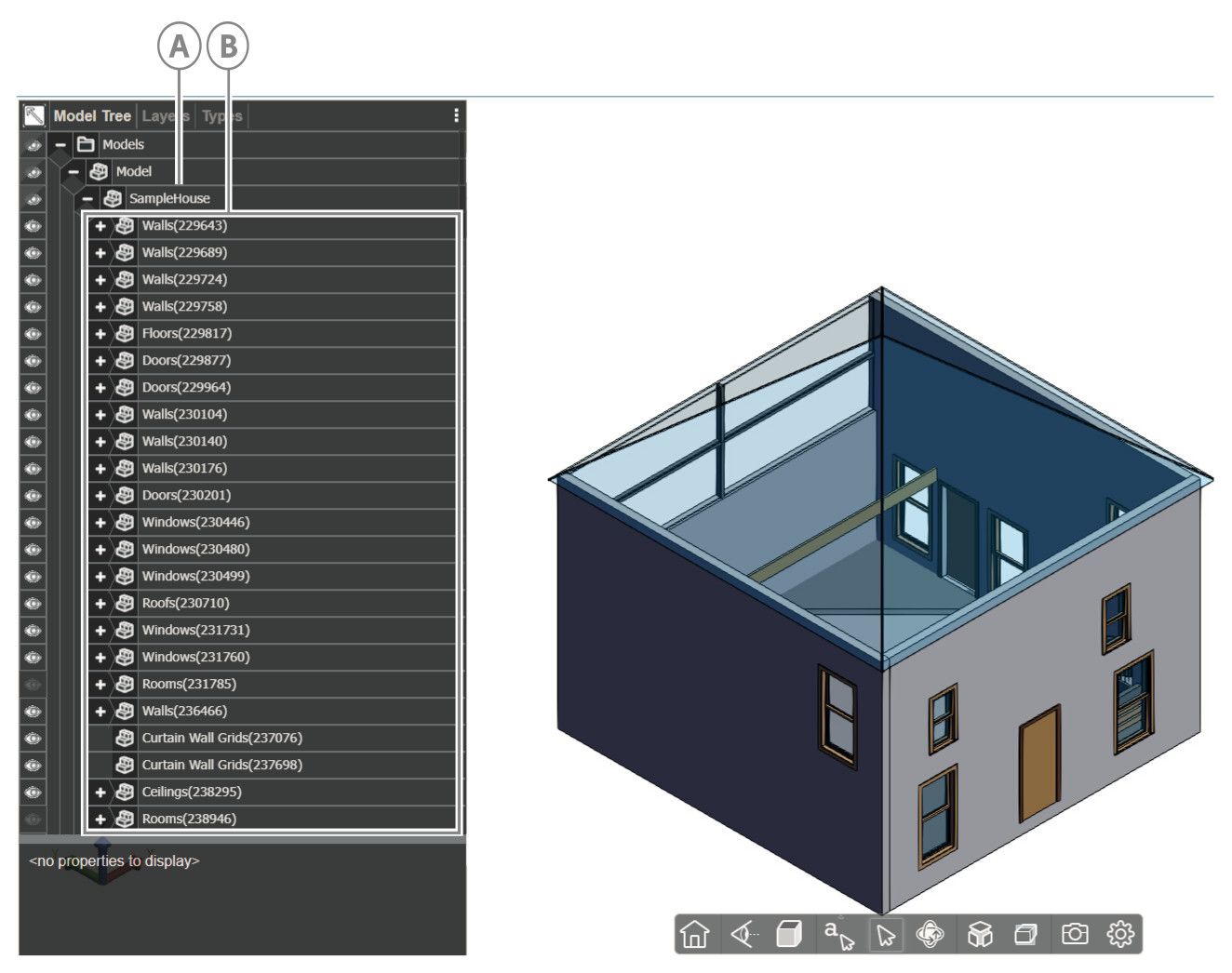
| Callout | Descriptions |
|---|---|
| A | Model file node |
| B | Model element nodes |
Element attributes
Each element node has the following properties:
- Name: To construct the element node's name, concatenate the element's category name with the element's id within parentheses:
Category(element-id). For example, a wall with a Revit ID of 12345 will have the following node name: Walls(12345) - PersistentID: The element’s BIMPK id, which is the integer id you give the object in
"objects.id"inobjects.json - INV_Desc: A description of the element, which includes the element’s Category, Family, and Type data in the following format:
Category>Family:Type
For a complete example, see the following Revit wall element attributes:
{
  "Name": "Walls(67890)",
  "PersistentID": "44",
  "INV_Desc": "Walls>Wall:Interior Partition Wall"
}
Figure: Node element attributes
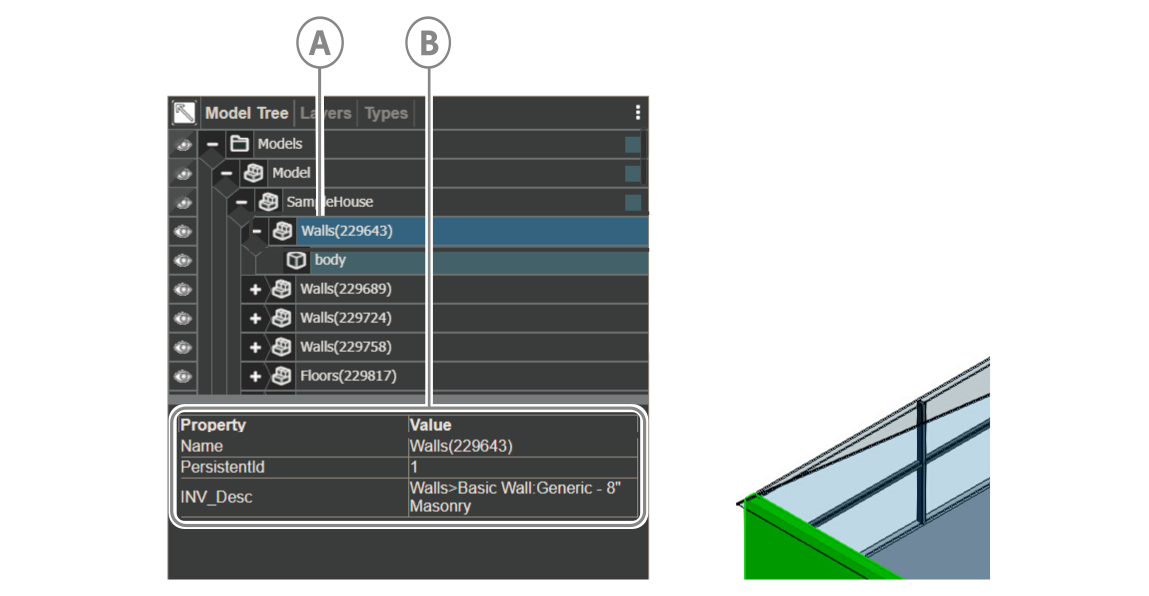
| Callout | Descriptions |
|---|---|
| A | Node element |
| B | Node element properties |
Rooms and spaces
Visibility
Rooms and Spaces usually have transparent geometry and are set to hidden by default. To view them in the platform viewer, set them to visible.
GenericType
Room and space element nodes require special handling by the platform viewer. To indicate that an element is a room or space, set GenericType of the Room/Space’s node to a value of BIM_Space.
Note:
GenericTypeis a built-in attribute of a HOOPs node and its value is empty by default.
Figure: Room invisibility
| Callout | Descriptions |
|---|---|
| A | Node element |
| B | Node element properties |
Nesting related child model elements
Nest related child model element nodes under the parent model group node in the node tree.
For more information, see the following node structure of a Revit wall element and its component related items:
Figure: Nested related child nodes
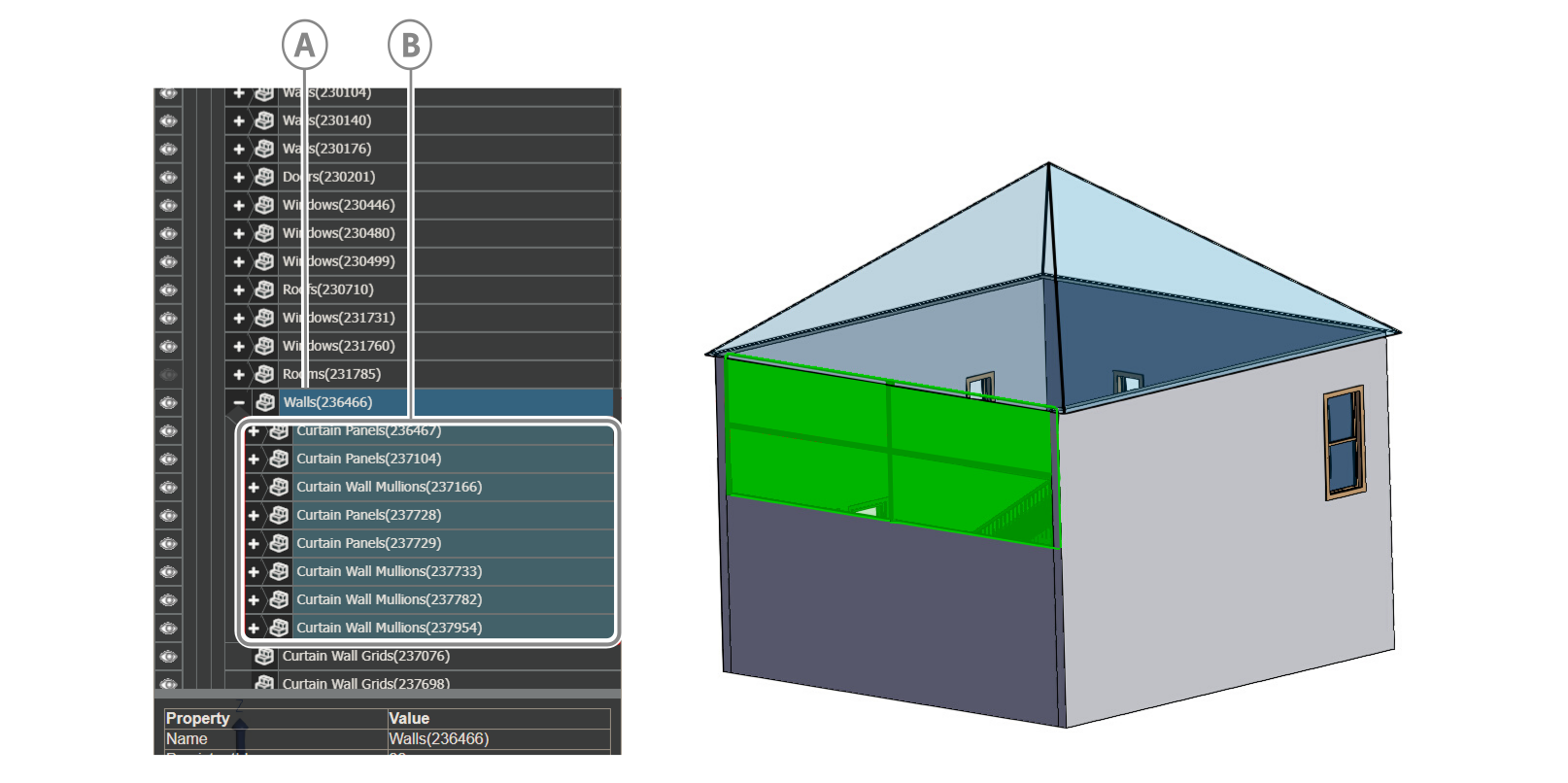
| Callout | Descriptions |
|---|---|
| A | Parent model group node |
| B | Nested related child nodes |
Example case
In Revit, a Curtain Wall doesn’t have any geometry by itself so if you do not nest Panels and Mullions, when a user select the Curtain Wall element in the viewer, no geometry is highlighted.
Model file Hash Code
A hash code is a property that the your application generates and adds to the first Model File node to identify the HOOPs file. For now, the value sets to ‘123456780’.
Figure: Model file hash code
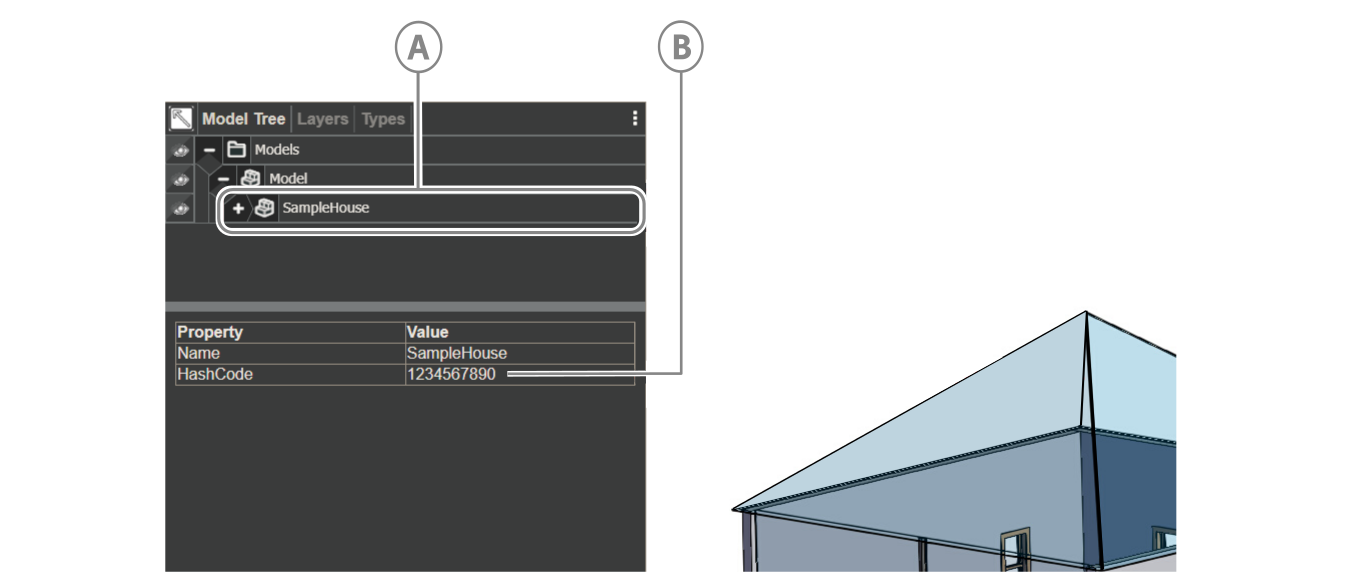
| Callout | Descriptions |
|---|---|
| A | Model file |
| B | Hash code |